

Download iPhone 5s Lock Screen – iPhone-style lock screen, Android customization, iOS 6 theme, free Android app, secure lock screen
Overview
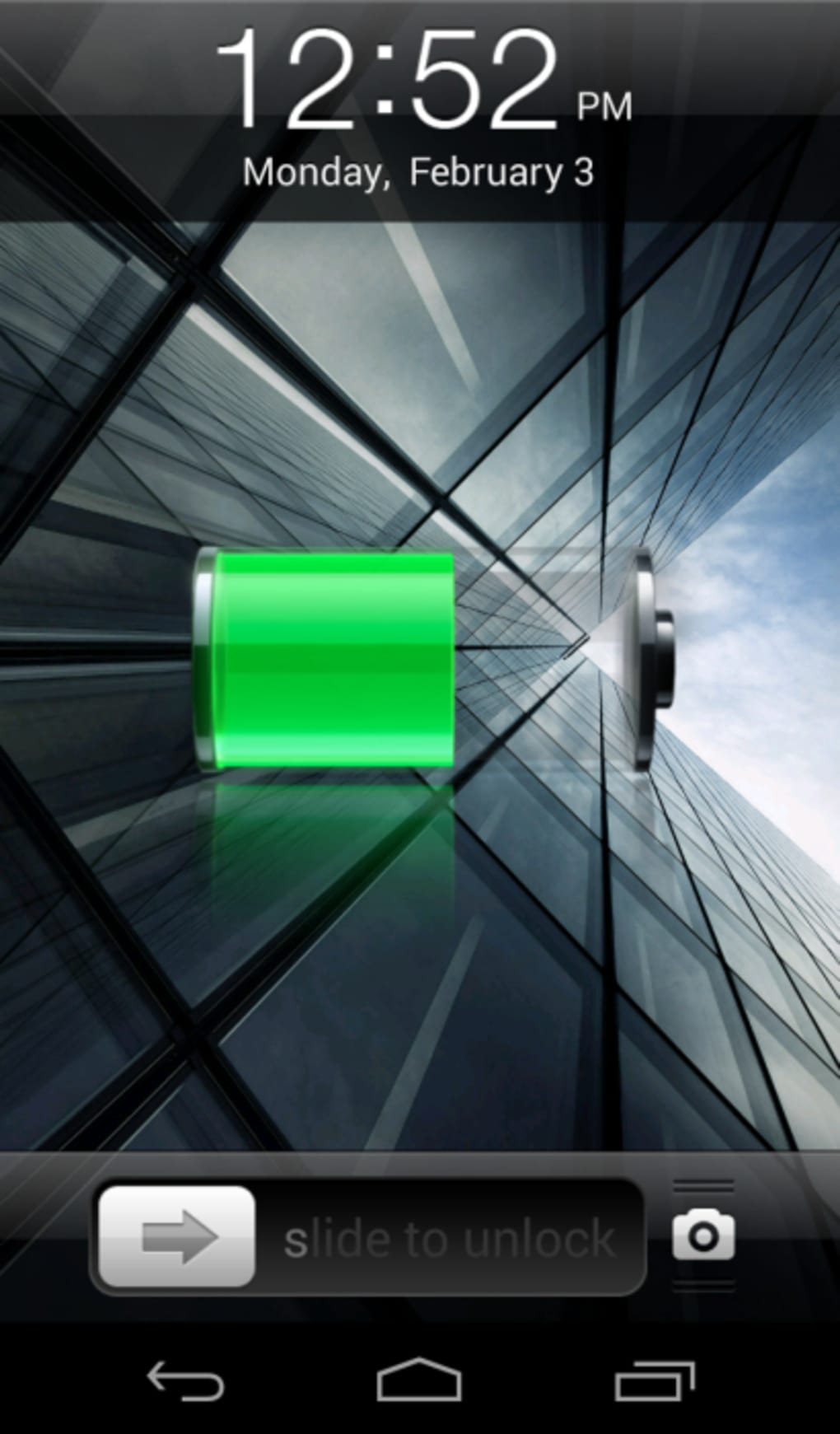
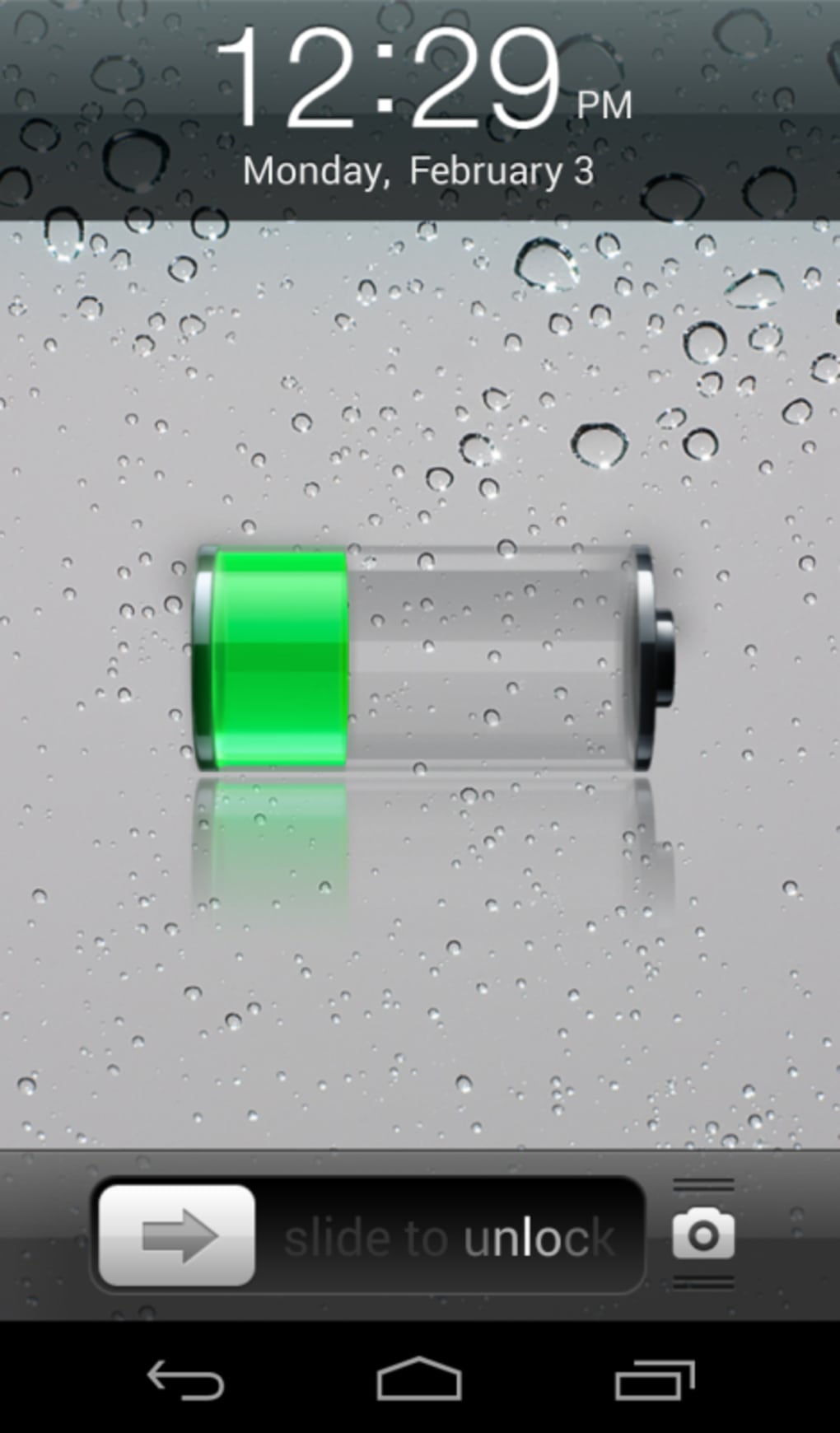
The iPhone 5s Lock Screen app offers a unique customization experience for Android users who wish to replicate the iconic iOS 6.x lock screen interface on their devices. Designed to mimic the slide-to-unlock functionality and visual aesthetic of the iPhone 5s, this tool transforms the default Android lock screen into a familiar interface reminiscent of older iOS versions. It caters primarily to users seeking a distinctive, nostalgic, or visually appealing lock screen experience without altering core system functions.
Target users include Android enthusiasts, mobile customization lovers, and individuals who appreciate the minimalist design language of early iOS. The app is particularly suited for those who value aesthetic consistency across devices or enjoy experimenting with interface themes. While it does not claim to enhance device security, it provides a fun, interactive way to personalize the unlock experience.
The developer did not provide additional details about their background or development history. Platform compatibility is confirmed for Android 4.0 and above, ensuring broad accessibility across older and newer devices. The application is lightweight, with a file size of 1.2 MB, making it easy to install and manage without consuming significant storage space.
Key Features & Capabilities
- iPhone 5s-style slide-to-unlock interface – Replicates the classic iOS 6.x unlock gesture, allowing users to slide the screen to unlock their device, just like on an iPhone.
- Customizable lock screen backgrounds – Offers a selection of preloaded images, including the original iOS 6 lock screen background, enabling users to tailor the visual appearance to their preference.
- Adjustable lock screen clock – Allows users to modify the time display on the lock screen, enhancing personalization and usability.
- Ad-supported model with optional in-app purchase – The app is free to download and use, but includes advertisements. A one-time purchase is available to remove ads, providing an ad-free experience.
- Lightweight and fast installation – With a size of only 1.2 MB, the app installs quickly and operates efficiently without significant system impact.
These features collectively deliver a streamlined, themed experience that appeals to users interested in interface mimicry. For example, someone using an Android device with a cluttered lock screen may find this app refreshing by replacing it with a clean, iOS-inspired layout. The customization options allow users to maintain a consistent look across multiple devices or simply enjoy a unique visual identity.
User Interface, Workflow & Performance
The user interface of iPhone 5s Lock Screen is minimal and focused, aligning with the simplicity of the iOS 6 design. The main interaction involves selecting a background image and adjusting the clock display through a straightforward menu. Navigation is intuitive, with all settings accessible from a single control panel, reducing the learning curve for new users.
Workflow efficiency is high for its intended purpose—users can set up the lock screen in under a minute. The app integrates directly with the Android lock screen system, enabling immediate visual and functional changes after configuration. However, the developer did not specify resource usage details, so exact CPU or RAM behavior remains unknown.
Performance observations are based on general software behavior patterns. Given its small size and limited functionality, the app is expected to operate smoothly on most Android devices running version 4.0 or higher. Stability appears consistent with similar lightweight utilities, though no formal testing data was provided. Users should expect minimal lag or battery drain during normal use.
Compatibility & System Requirements
The app is compatible with Android 4.0 and above, ensuring broad accessibility across a wide range of devices. This includes older smartphones and tablets that may no longer receive official updates, making it a viable option for users with legacy hardware.
Installation size is 1.2 MB, which is minimal and suitable for devices with limited storage capacity. The developer did not specify exact hardware requirements such as RAM or processor type. As such, compatibility with specific models cannot be confirmed beyond the OS version.
Exact system requirements were not listed. Users are advised to ensure their device meets the minimum Android 4.0 requirement before installation. No additional dependencies or permissions beyond standard lock screen access are known to be required.
Pros and Cons
Pros
- Replicates the iconic iPhone 5s slide-to-unlock experience
- Simple and intuitive user interface
- Customizable background and clock display
- Free to download with optional ad removal
- Extremely lightweight at just 1.2 MB
Cons
- Security flaw allowing bypass of screen lock via camera icon flick
- No built-in option to disable the bypass vulnerability
- Ad-supported model may disrupt user experience
- Only mimics iOS 6.x interface, not newer iOS versions
- Not suitable for users requiring high-security lock mechanisms
FAQ Section
Is iPhone 5s Lock Screen compatible with my Android device?
The app is compatible with Android 4.0 and higher. If your device runs one of these versions, it should support the application.
Is the app safe to download and use?
The app is free and available for download, but users should be aware of the known security flaw that allows bypassing the lock screen. It is not recommended for use on devices containing sensitive information.
Can I remove the ads in the app?
Yes, a one-time in-app purchase is available to disable advertisements and enjoy an ad-free experience.
Does the app require internet access?
The app does not require constant internet access. Once installed, it functions offline. However, updates or in-app purchases may require connectivity.
Is the app updated regularly?
Information about update frequency was not provided. Users should check the app store for the latest version and any available patches.
Final Thoughts + CTA
iPhone 5s Lock Screen delivers a nostalgic and visually appealing lock screen experience for Android users who appreciate the design language of iOS 6.x. While it succeeds in replicating the iconic slide-to-unlock gesture and offers customization options, a critical security flaw undermines its reliability. The ability to bypass the lock screen via the camera icon significantly reduces its effectiveness as a security tool.
Despite this limitation, the app remains a fun and lightweight utility for users prioritizing aesthetics over security. Its small size, simple interface, and free availability make it accessible to a broad audience. However, it is not recommended for users handling sensitive data or seeking robust device protection.
For those seeking a quick, thematic change to their Android lock screen, this app offers a compelling option—just with caution. Download iPhone 5s Lock Screen now to experience a slice of iOS history on your Android device.
Customize Your Mobile > Themes . Want to slide the screen to unlock your Android like you can do with an iPhone? The iPhone 5s Lock Screen app lets you do just that. iPhone 5s Lock Screen changes your Android lock screen to look and behave like the iOS one. Admittedly, it's the lock screen from iOS 6.x and older, but it's an interesting effect. You can choose from a range of lock screen backgrounds, including the original iOS 6 one. One problem the app has is that the screen lock can be by-passed by flicking the camera icon up. This is a security flaw. The app doesn't have a built-in way to disable this. However, the app does offer a nice customization option. You can choose a background image and a lock screen clock. The app is free, but it has ads. You can disable ads with a one-time in-app purchase. The app is compatible with Android 4.0 and up. It's a small app, only 1.2 MB in size. It's a simple, fun app that gives you a cool iPhone-style lock screen experience on your Android phone.">




.png)

